 +
+
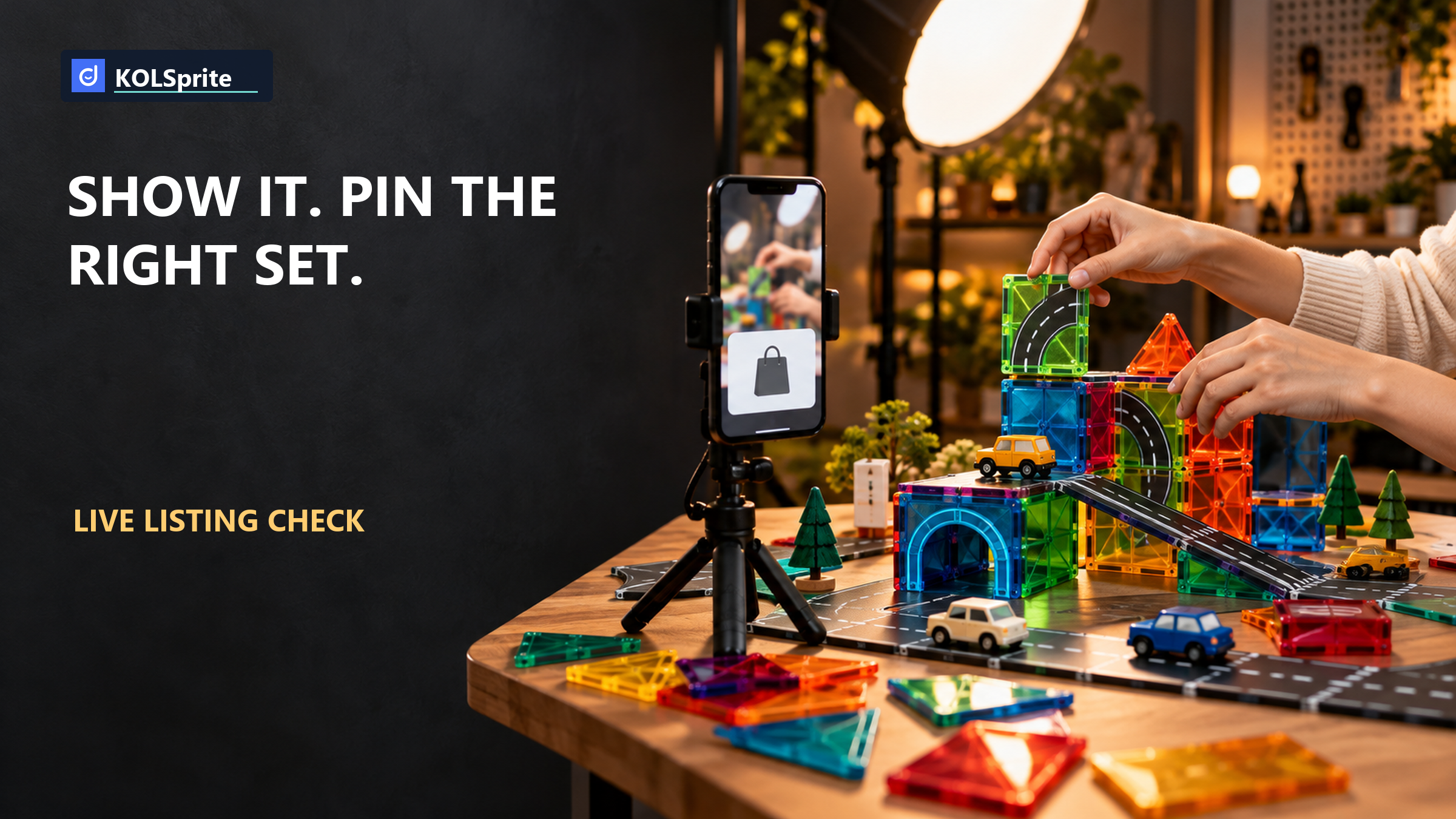
The host holds up a magnetic-tile road-topper set, points out the pieces, and invites viewers to tap the shopping bag. The TikTok LIVE product listing they open must show the same set and variation, with stock available. A polished demo cannot repair a wrong product card.
Before a product-led TikTok LIVE, verify the approved Seller Center listing against the physical item on camera, add that exact listing to the LIVE shopping bag, and rehearse when the host will pin it. Go live only when the variant, pack contents, price shown, and available inventory agree. If they do not, hold that demo until the mismatch is fixed. The payoff is a run-of-show the host and moderator can use without guessing which card a viewer will see.
Set the actual sellable pack on the rehearsal table and open its approved listing in Seller Center. Do not work from a supplier image or a draft product page. Read the customer-facing title, product images, variant names, included pieces, and price as a viewer would. Then open the box, if that is part of the demo, and check what the host will physically show. If the host plans to use props or an expanded display, mark which items are not included with the purchase.
For a magnetic-tile accessory set, small wording differences can signal a different purchase. A road-topper pack is not necessarily a full tile starter set. A color choice may be a variant, not a separate product. A picture may show tiles used to demonstrate the accessory even when those tiles are not in the pack. The host should be able to state the included pieces in one sentence that matches the approved listing. If that sentence is hard to say without qualifications, the card needs another look.
Check the exact variation that the LIVE card will offer. Select it as a shopper would and compare its image, name, quantity, and price with the item under the camera. Do this for any variation the host might mention. If one option is out of stock, remove it from the spoken offer or fix the stock and listing state before the show. Viewers should not have to infer that the set in the host's hands is a different pack from the one they can buy.
The key test is simple: could a person who entered the LIVE halfway through tap once and recognize the thing the host is holding? If the answer depends on a long explanation, the setup is not ready. The card a viewer taps has to be the thing the host is holding.
A broad search for magnetic toys can surface products that look similar on a crowded screen but are wrong for the show. In a US KOLSprite product search, one exact magnetic-tile road-topper set appeared at $29.99 with 2,575 reported units over 30 days, five linked videos, and one linked creator. Broader toy results also included unrelated items. The useful lesson is about matching a precise product reference before building a script, not about LIVE sales performance.
| Public observation | Rehearsal use | Not established |
|---|---|---|
| Exact road-topper set at $29.99 | Check that the reference is the intended accessory, not a broad toy match | Your approved price or variant |
| 2,575 reported 30-day units | Context for the public product only | Demand for your LIVE |
| Five linked videos and one linked creator | Visible public content association | LIVE conversion or a working sales script |
Source note: KOLSprite's US search showed one exact road-topper set on October 9, 2026; broader toy results were not reliable substitutes. The public price, unit count, and linked content describe that result, not your approved listing or a LIVE outcome.
Use that public reference to ask whether your proposed demo really centers on the accessory set and its use. Do not copy the displayed price into your host script unless it is the price on your approved card at showtime. Do not treat linked videos as proof that viewers will buy during a LIVE. The operational truth for this event lives in Seller Center and the shopping bag the viewer can tap.
Register for KOLSprite's three-day web trial to inspect public product and video context. Confirm your own LIVE listing and inventory in Seller Center.
Register for the three-day trial
Give the host and moderator one shared sheet. It should describe what appears on camera, which approved card is in the bag, which variation is selected, and when to pin that card. Use the same product name and pack description that the shopper will see.
Make the first row a visual check: the unopened sellable pack next to the approved product image. The next row covers the opening demonstration, including any separate props. A third row covers the close-up of the road toppers in use. For each row, write the matching item and variation, the claim the host can support from the pack and listing, the planned pin cue, and the moderator's confirmation. The goal is a short, usable rundown, not a full script that makes the host sound rehearsed.
A practical cue might be: host names the exact set, shows the included pieces, moderator pins the matching card, host points viewers to the bag, then pauses long enough for the card to be checked. If the host switches to another pack or color, the moderator should change the pin only after confirming that option is approved and in stock. If no matching card exists, the host should continue the demonstration without a purchase prompt until the team resolves it.
Assign roles before the LIVE. The host owns what is shown and said. The moderator owns the bag and pin state. One person should call out a mismatch in rehearsal, and the team should agree who can stop a sales prompt on air. Without this ownership, a host may describe one variation while a moderator pins another, even though both are following their own notes.
Do not stop at seeing the right item in the seller view. Run a private or controlled rehearsal under the current TikTok LIVE setup available to your account and check the shopping path as a viewer. The official TikTok Seller Center LIVE guidance is the place to confirm the current instructions for listing approval, adding products to the bag, and pinning them. Follow the live interface you have, since controls and eligibility can change.
During the rehearsal, have someone who has not built the listing open the bag at the moment the host gives the cue. Ask that person to read the product name, variation, price, and availability aloud. Does the image resemble the pack on screen? Does the tapped option contain the pieces just demonstrated? Is the price the one the host said, if the host says one? This outside check catches assumptions that a seller who knows the catalog may skip.
Repeat the check after any change to stock, variation naming, images, offers, or the show order. A card that was correct in the morning can be wrong after a last-minute promotion or inventory adjustment. Treat the final pre-show check as part of production, like testing the camera and sound. It is especially important when several similar sets share a brand name or when the host will move between products quickly.
Keep the spoken purchase cue short and literal. The host can identify the exact set, say which variation is on screen, and point to the pinned card. Avoid language that promises contents not visible in the approved listing. If props are used, name them as props. A clean demonstration shows how the product is used; a clean shopping path tells the viewer what is actually for sale.
Bring a specific listing-match question to the KOLSprite community.
 +
+
A good run-of-show includes what the team will do when the card is wrong. If the desired variation is out of stock, do not keep pitching it while pointing to a different option. If the wrong product is pinned, unpin it, correct the bag, and verify the new card before the host repeats a purchase cue. If the listing is not approved or the card cannot be added, delay that product segment. Filling airtime is not a reason to send viewers to a mismatched item.
Make the go/no-go test explicit. Go when the approved listing, physical pack, selected variation, bag entry, pin, and available stock agree. Hold when any one of those facts is unknown or inconsistent. If the team can show the product but cannot offer it correctly, a non-sales demonstration may be possible under the rules that apply to your account, but do not frame it as a shoppable segment. Confirm current platform policy and your own account status before making that choice.
After the LIVE, save the actual run notes. Record any moment when the host changed products before the pin changed, a viewer asked what was included, or stock ran out during a segment. These are useful production signals even without a conversion claim. Fix the listing language, rundown, or cue order before the next show. If a card mismatch was caught on air, resolve it in the catalog and show plan rather than treating it as only a hosting mistake.
The finish line is not a flawless script. It is a viewer-facing path that stays true as the host handles the item, the moderator manages the bag, and inventory changes. A clear fail-safe lets the team protect that path under live pressure.
Before rehearsal, enter the exact magnetic-tile road-topper title and US market in KOLSprite. Inspect the relevant public listing and distinguish it from broad toy matches. Bring that bounded product reference to the team while building the card-to-camera rundown. Public product and linked-video context may help the team identify the right item to discuss, but the approved listing remains the source for what this seller can offer.
This KOLSprite workflow does not see your Seller Center approval, stock, variants, LIVE shopping bag, pin state, or live conversion. It cannot certify that a card is ready for your show. Those checks belong to the seller and moderator in the current TikTok interface. Do not infer a working LIVE offer from a public product match or a linked video count.
If the team needs a wider production framework, see the LIVE product proof plan. For a deeper check of what each variation promises, use the listing and variant promise guide. Once the card-to-camera path is sound, the product video use-case guide can help the team decide which demonstration moments are worth reusing outside the LIVE.
Before the show opens, the host should be able to pick up the pack, say exactly what is included, and point to a card that confirms it. The moderator should be able to pin that card at the planned cue and verify that the selected variation remains available. The rundown should show both actions on the same line. This is a small test, but it protects the moment when a viewer moves from watching to choosing.
If the test passes, go live with that one verified listing and repeat the match check whenever the offer changes. If it fails, postpone the sales cue for that product until the listing, bag, and camera item agree. A delayed segment costs airtime; a wrong card asks the viewer to buy something other than what the host just showed. This final check makes the TikTok LIVE product listing part of the show plan, not an afterthought.
Latest Articles

As an essential, data-driven toolkit for TikTok influencers and marketers, KOLSprite provides powerful features for effortless creator discovery, trending content identification, and actionable real-time insights.
It empowers users to make smarter decisions and significantly boosts their TikTok business.

 Refer & Earn